
We frame each dispatch around what changed, why it matters, and what to watch next in the cycle.
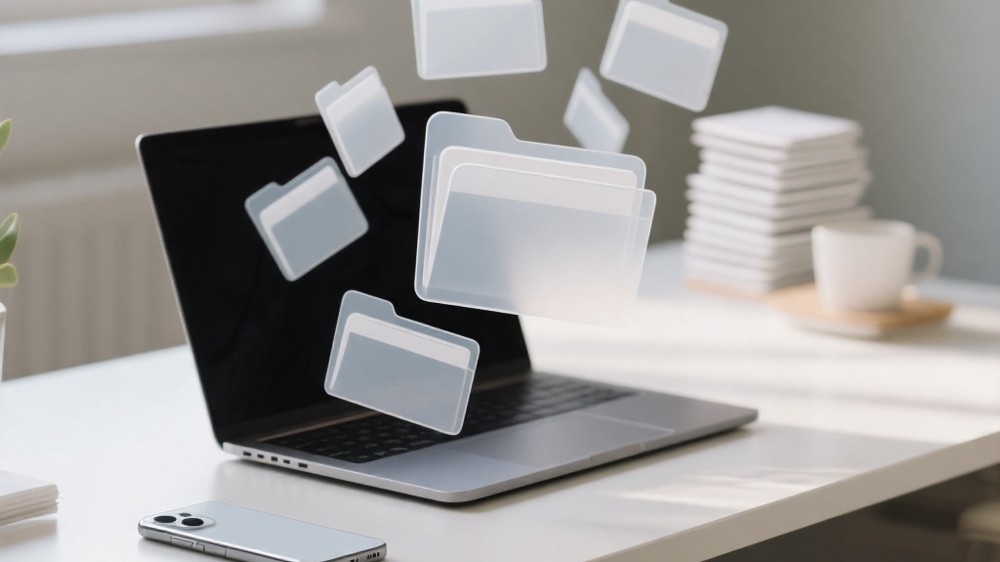
A phone can start the day as a helpful companion and end it as a cluttered drawer you carry everywhere. Notifications, downloads, photos, and forgotten tabs pile up quietly. When the mess grows, finding what matters takes longer, and attention feels strained for many people.
Digital Decluttering Tools as “invisible housekeeping”
Physical spaces get messy because life happens. Digital spaces get messy for the same reason, with a twist: copies are cheap, so we keep everything “just in case.” Screens also hide clutter by default. You might not notice the backup files, the duplicate screenshots, or the old chat exports until your device starts complaining or your search results become noisy.
Thinking of Digital Decluttering Tools as invisible housekeeping changes the tone of the task. The goal is not to achieve perfection. The goal is to create enough structure that your future self can find, trust, and maintain what you keep.
This matters for more than aesthetics. A calmer digital environment reduces tiny decision points throughout the day: which app to open, which file is current, which note contains the latest plan, which photo is safe to delete. Those micro-decisions add up.
Why clutter returns even after you clean
Many people experience decluttering as a cycle: a motivated cleanup, a brief period of calm, then a gradual slide back into chaos. That is not a personal failure; it is a design mismatch.
Most devices make it easy to create. They make it harder to review. Downloads land in default locations. Photos arrive from multiple sources. Messaging apps store media automatically. Documents are shared, re-shared, and renamed. Even careful people end up with near-duplicates: the edited version, the shared version, the “final” version, and the “final-real” version.
This is why a File Cleanup Routine works best when it fits the way you already behave. If you mostly work from your phone, the routine must live there. If you work across devices, the routine must include sync and naming conventions that do not rely on memory.
What “better” looks like: fewer surprises, faster retrieval
Digital order is not about having fewer files. It is about reducing surprises. When you search for a document, you want the most relevant version to appear. When you open storage settings, you want the largest categories to make sense. When you back up your device, you want the backup to include what matters and avoid hoarding trash.
That is the foundation of Better Tech Efficiency: your device spends less effort indexing noise, you spend less effort navigating, and you feel more confident deleting what is truly disposable.
A helpful framing is to separate “reference” from “active.” Reference material can be archived in a place that is easy to search. Active material needs to be quick to reach and easy to edit without creating duplicates.
Choosing tools by function, not by brand
Modern platforms offer overlapping features that solve similar problems in different ways. Instead of chasing the “best” app, it helps to choose by function. The table below maps common clutter problems to tool capabilities, so you can use built-in features or third-party options without changing the underlying approach.
| Clutter pressure | Tool capability to look for | What it does in plain language | What to watch for |
|---|---|---|---|
| Too many duplicates | Duplicate detection | Finds similar files or photos so you can confirm removals | Similar does not always mean safe to delete |
| Lost documents | Full-text search and tagging | Helps you retrieve content even when names are vague | Over-tagging can create new noise |
| Bloated media in chat apps | Media review controls | Lets you sort by size, sender, or thread before deleting | Deleting locally may not remove cloud copies |
| Unclear “current” version | Version history | Lets you recover and compare changes without cloning files | Versioning depends on where the file is stored |
This approach supports Screen Simplicity Support because it reduces the number of decisions you need to make while still letting you keep what you value.
App Organization Habits that survive busy weeks
Rearranging icons can feel productive, but it often fails because it depends on constant maintenance. App Organization Habits work better when they rely on a small set of stable rules.
One rule is to organize by intent rather than by category. Many people do not think, “I need a productivity app.” They think, “I need to pay a bill,” or “I need to get somewhere,” or “I need to capture this idea.” If your first screen reflects common intents, you reduce friction without needing to remember where things are.
Another rule is to treat the app drawer as storage and the home screen as a workbench. Storage can be messy as long as search works. The workbench should stay sparse enough that it signals priorities.
A third rule is to notice which apps quietly expand your clutter footprint. Some apps save copies, cache media, or download offline content by default. Organization is not only about where icons live; it is also about which apps are allowed to accumulate hidden piles.
Device Storage Management as a conversation with your future self
Device Storage Management is easiest when it becomes a periodic check-in, not a crisis response. The goal is to prevent the “storage full” moment that forces rushed deletions.
A calm check-in starts with understanding categories rather than hunting individual files. When you see storage broken down by media, apps, system data, and documents, you can decide which categories are worth your attention. Often, the best wins come from clearing caches, reviewing large media attachments, and removing offline downloads you no longer need.
The most future-friendly habit is to decide where each kind of file “belongs” long-term. Photos may belong in a photo library with albums that reflect your life. Receipts may belong in a folder with a consistent naming style. Work documents may belong in a cloud space with version history. When each category has a home, deletion becomes less scary because you are not relying on random device folders as your only archive.
Personal Digital Order is mostly about defaults
People often assume digital order requires willpower. In reality, it is usually about defaults. If screenshots automatically flow into an album you never review, that album will grow. If downloads automatically land in a folder you never open, that folder will rot. If a messaging app automatically saves every image, your photo library will become a mirror of every conversation.
To build Personal Digital Order, tune defaults so they align with how you want to live. Turn off automatic saves that you do not value. Adjust notification settings so you are not constantly pulled back into clutter-producing loops. Choose a notes system where capture is easy and review is natural. Make search work for you by using a few consistent keywords in titles, especially for documents you will need later.
This is also where Digital Decluttering Tools can feel quietly “future-facing.” The best tools increasingly act like gentle supervisors: they surface large files, suggest duplicates, and highlight unused apps. Used well, they reduce the need for heroic cleanup sessions.
A living File Cleanup Routine that stays gentle
A sustainable File Cleanup Routine has to be light enough that you will actually do it, even when life is busy. The trick is to attach cleanup to moments that already happen.
For example, after sharing a batch of photos, you can immediately delete the blurred or redundant ones while the context is fresh. After finishing a project, you can move the final materials into an archive location and delete the working clutter that you know you will not revisit. After returning from travel, you can consolidate tickets, confirmations, and maps into a single place, then clear the rest.
Notice the theme: cleanup is easiest when it is close to creation, because your memory is still rich. When you wait too long, everything becomes ambiguous, and ambiguity breeds hoarding.
the goal is trust, not minimalism
Digital decluttering is not a contest to own less. It is an effort to trust your devices again. When your folders reflect reality, your search results feel relevant, and your storage warnings stop appearing, you regain time and attention without changing who you are. The future of personal computing is likely to include more automated cleanup suggestions, but the human part remains the same: choosing what deserves to stay close.
QA
Q: I’m afraid I’ll delete something important. How do I get past that?
A: Focus on moving before deleting. If you can confidently place important items into a “home” with search and version history, deletion becomes a smaller risk. When you do delete, start with clearly disposable categories like redundant screenshots or cached media.
Q: Why do I have so many duplicates even when I’m careful?
A: Duplicates often come from sharing flows, edits, and cross-device sync. A file can be copied when you export, download, compress, or forward it. Duplicate detection tools help, but your best defense is a consistent home for “final” items and letting version history handle change.
Q: Is organizing apps worth it if I can just search?
A: Search is excellent for retrieval, but organization is about reducing daily friction. A simple home screen that matches your common intents provides fast access without typing and acts as a visual reminder of priorities.
Q: My storage says “system data” is large. What should I do?
A: Treat it as a signal to review caches, offline downloads, and large attachments, and to restart the device if it has been running for a long time. If the category remains unclear, consider backing up what matters and using built-in maintenance options to reset the clutter safely.