
We frame each dispatch around what changed, why it matters, and what to watch next in the cycle.
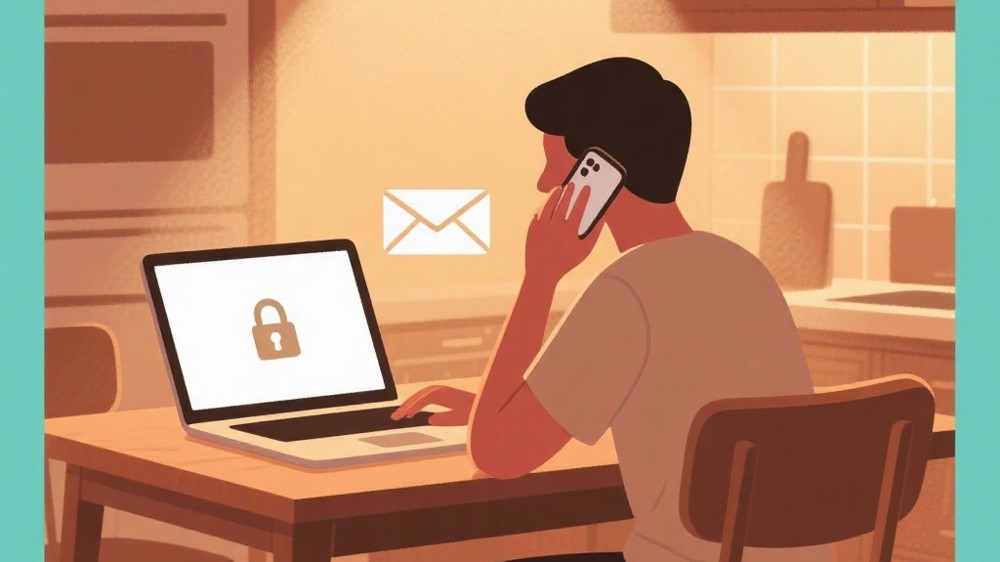
You check messages while coffee brews, tap a link from a friend, then log in to pay a bill. Most online risks arrive in ordinary moments, not dramatic ones. A steady, low-stress approach helps you notice signals and respond well without losing your daily rhythm.
Seeing security as a household habit
Cybersecurity Awareness often sounds like something meant for specialists, but in real life it behaves more like a household habit. Just as you might lock the door without thinking, you can build small online routines that reduce risk without making you anxious.
The key is to focus on what you can control in the moment. You cannot stop every scam from being invented, and you cannot make every website behave perfectly. You can, however, choose how you respond when something feels slightly off, when an app asks for extra access, or when a message pushes you to act quickly.
Instead of chasing every new warning, aim for Digital Safety Basics that stay the same across devices and services. Calm habits scale. Panic does not.
A day of decisions: where risks actually show up
Online trouble tends to appear during transitions. You are moving between tasks, switching screens, or juggling distractions. That is why safer behavior is less about advanced tools and more about reducing “autopilot clicks.”
Imagine reading a message that claims an account has a problem and offers a button to fix it. Imagine you are in a hurry, and the message looks plausible. The safest response is rarely “never click anything.” The safer response is to slow down and take a different path to the same destination, such as opening the service directly in your usual way rather than trusting the message.
This is the heart of Safe Online Behavior: choosing a calmer route when someone else is trying to rush you.
Password Protection Habits that you can maintain
Many people know they “should” have better sign-in practices, yet daily life makes it hard. Password Protection Habits become realistic when they reduce mental load rather than adding it.
A practical approach is to treat passwords like house keys: you do not reuse the same key for every lock, and you do not hand copies to strangers. In digital life, reuse is the risky part. When a password is reused, a single leak can spill into unrelated accounts, turning a small incident into a long cleanup.
You do not need to memorize a large collection of complex strings to improve. What matters is having a method you will stick with. Many people find that a dedicated password manager makes this easier because it shifts the burden from memory to a tool designed for the job. If you choose that route, protect it carefully and keep recovery options current, because it becomes the vault for the rest of your accounts.
If you do not want a manager, you can still improve by using unique passphrases that are long, personal, and not guessable from public information. Avoid anything that could be inferred from social profiles, pet names, or commonly shared family details.
Phishing Scam Prevention without becoming suspicious of everyone
Phishing Scam Prevention is not about distrusting friends. It is about recognizing when communication methods are being abused.
A common pattern is urgency. The message claims a deadline, a penalty, or an emergency. Another pattern is secrecy. The message asks you to keep it quiet, to move the conversation elsewhere, or to bypass normal procedures. A third pattern is a mismatch between tone and context. A casual contact suddenly sends a formal warning. A business contact suddenly asks for personal favors. These mismatches are signals.
When you receive a surprising request, consider a verification step that matches the relationship. If it is a friend, you can confirm through a different channel you already use. If it is a service, you can sign in through your usual bookmark or app rather than using a message link. If it is a workplace request, follow the normal internal process even if the message tries to shortcut it.
This kind of calm verification is effective because it does not require you to “spot every fake.” It simply refuses to let the message choose the path.
Personal Data Security in everyday settings
Personal Data Security is easiest to understand when you picture your information as a collection of small clues. A full name here, a birth date there, an address in a shipping receipt, a photo in front of a recognizable location. None of these feels dangerous alone, yet together they can be used to answer security questions, impersonate you, or target you with convincing scams.
You can reduce exposure by being selective about what you share publicly, and by keeping private details inside the services that genuinely need them. It also helps to routinely review app permissions on your phone. Many apps request access “just in case.” A calmer posture is to grant access only when you see a clear benefit, and to revoke access when you no longer use the feature.
Privacy is not about hiding. It is about choosing the right audience for the right detail.
Account Protection Routine for the moments that matter
An Account Protection Routine is what you do when you are calm, so you do not have to improvise when you are stressed.
One strong habit is enabling additional sign-in verification where it is offered, especially for email accounts and financial services. Another is keeping recovery options updated so you can regain access if something goes wrong. Also, watch for unexpected sign-in alerts and treat them as useful information rather than background noise.
It helps to choose a small set of accounts that deserve extra attention because they unlock everything else. For most people, that includes primary email, phone account, and any account that stores payment details. If those are protected well, the rest of your online life becomes easier to manage.
A calm table for common situations
This table links everyday scenarios to a safer response, without assuming you have special tools or technical knowledge.
| Situation | Calmer choice | Why it helps |
|---|---|---|
| A message says your account is locked and provides a link | Open the service through your usual app or bookmark | You avoid a path controlled by the message |
| A friend sends an unexpected attachment | Confirm through another channel before opening | It protects both you and your friend |
| A site asks for details that feel unrelated | Skip optional fields and reconsider permissions | Less shared data means less exposure |
| You get a sign-in alert you do not recognize | Change the password and review sessions | Quick action limits follow‑on misuse |
When something feels wrong: responding without panic
Even with good habits, you might click something you regret or notice a strange alert. The goal is to respond steadily.
Start by stopping the bleeding. Close the suspicious page. Do not keep interacting to “see what happens.” Then shift to your most trusted access path, such as your official app or a direct sign-in route you already know. If you suspect an account is compromised, change the password from a clean, trusted device if possible, and sign out of other sessions. If you see payment activity you did not authorize, contact the provider promptly using contact information from official statements or the provider’s site, not from the suspicious message.
If you feel overwhelmed, pick one anchor task: secure your email first. Email often controls password resets elsewhere, so stabilizing it can make the rest of the recovery calmer.
Wrap-up: steady habits beat anxious vigilance
Cybersecurity Awareness is not a personality trait. It is a set of choices you practice until they become normal. The win is not becoming a detective who spots every trick. The win is building a small buffer between you and whatever shows up next.
When you lean on Digital Safety Basics, your online life becomes less fragile. When you keep Password Protection Habits sustainable, you avoid burnout. When you practice Phishing Scam Prevention through calm verification, you keep trust without becoming reckless. Over time, those routines become quiet, reliable support—like a good lock on a familiar door.
QA
Q: I feel embarrassed when I fall for a suspicious message. What should I do first?
A: Treat it like a household mishap, not a personal failure. Stop interacting with the message, move to a trusted sign-in path, and secure your email and the affected account. Calm, quick containment matters more than self-blame.
Q: How can I tell if a request for information is reasonable?
A: Ask whether the service truly needs that detail to deliver the function you want. If it feels unrelated, consider skipping it, using privacy-friendly settings, or choosing an alternative method. Your discomfort is useful feedback.
Q: Are security alerts always trustworthy?
A: Alerts can be real or imitated. If an alert arrives through a message, verify it by checking directly inside the service or app you already use. Use the alert as a prompt to look, not as proof to click.
Q: What is the most practical way to reduce account takeover risk?
A: Focus on the accounts that unlock others, especially your email, and strengthen them with unique credentials and additional sign-in verification. Then keep recovery options current so you can regain control quickly if needed.